Video calls for sales, advice and coaching teams
Bring the humanity back to remote work.
Look at your client, not your notepad. Menntora writes the notes and sends the tasks, so you can listen. On the Team and Enterprise plans, it also scores your recorded calls against a framework, one of ours or your own, so your team can see what to work on next.
People first
Look up from the notepad.
A good call starts with people paying attention to each other. When you are not busy writing, you can listen, ask the next question and notice how your client feels. Menntora writes the notes and sends the follow-up tasks.
Eyes on your client.
Your client clicks a link and joins in the browser. No app, no fuss, just a conversation.
Notes written for you.
A few minutes after the call, you get the transcript and AI-written notes in your format. Your support person gets the tasks by email.
Learn from your own calls.
Scored calls show what is working and what to work on next. Your team learns from real conversations.
Coaching
No more flailing in the dark.
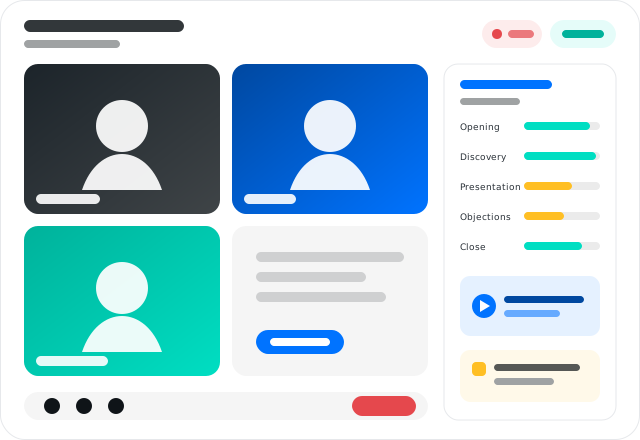
Good teams have a way they run a call. For meeting types with scoring switched on, Menntora checks each recorded call against it and shows what to coach next. Scoring is on the Team and Enterprise plans.
Start with a template, or use your own.
Pick a starting scorecard: "Sales: discovery and recommendation", "Coaching session", "Service or review meeting" or "Follow-up meeting". Or build one from your own framework.
Each call scored, part by part.
Once a leader or admin at your firm approves a scorecard for a meeting type, recorded calls of that type are scored against each part of it. The score page says what to coach next.
My calls, and the Team view.
On the Coaching page, everyone sees their own scored calls. Leaders also get a Team view. Choose the period and the scorecard.
Notes for coaching sessions.
Write up a one-to-one coaching session against a framework, such as GROW (goal, where things are, options, next steps), with no score. The person coached sees the notes once the coach confirms the log.
Getting started
Start with the call you run most.
Your clients have nothing to install. They click a link and join in the browser. For coaching, start from a ready-made scorecard, such as “Sales: discovery and recommendation”, or build your own. Your firm approves the scorecard for each meeting type before scoring starts. Scoring is on Team and Enterprise.
What it does today
Four jobs, one place.
Most teams pay for a meeting tool, a note taker and a booking page, then copy things between them. Menntora does all of that in one place.
Meet
Video calls in the browser. Clients see one line about recording and press Join. Nothing to download.
Video callsNotes
A transcript and AI-written notes in your format. Quotes are checked against what was said. Numbers are marked for you to check.
Meeting notesTasks
After the call, your support person gets the tasks by email. Anything you say you'll do yourself comes to you, with the full notes.
TasksBook
A booking page on your Outlook or Google calendar. When a client books, your calendar sends them the invite and Menntora sends the reminders.
Booking pagesHow it works
From booking to follow-up, in four steps.
Your client books
They pick a time on your booking page. The call goes into your Outlook or Google calendar, and your calendar sends them the invite, from you. Menntora sends the reminder.
You meet
Everyone joins in the browser. You sign in with your work Google or Microsoft account. Your client reads the recording notice and presses Join.
Notes arrive
A few minutes after the call you get the transcript and the notes. Your support person gets the tasks.
Nothing slips
Your dashboard shows each call's progress: recorded, transcribed, notes written, emails sent. If a step fails, it says why.
In trial now
What the first trial has shown so far.
Menntora is being tested by an Australian based mortgage broking team. These are the numbers so far.
Under 3 s
to join a call, in the browser, with nothing to install.
Under 2 min
after the call ends, the transcript is ready.
8 of 8
follow-up types caught in a test call and routed to the host or their support person.
AUD 71.59
per user per month, ex GST, is what our first customer paid for Zoom with its AI add-ons.
Trust
Clear about recording. Clear about your data.
Recorded only with consent
Before joining, every client sees one line: the call is recorded and transcribed, and joining means they agree. Their Join is logged. If they don't agree, they don't join.
Invites from you, notes from Menntora
Client invites come from your own calendar, like any meeting you set up. If your calendar can't send one, Menntora emails it. Notes and tasks come from Menntora's own email address, clearly labelled, never from your mailbox.
Where your data is
Audio recordings are kept in Sydney, Australia. Transcripts and notes are kept in the United States (Oregon). Read the full list.
Coming next
Being built with our first customers.
These are not available yet. We will tell you when each one is ready.
Video guides Coming
Record how your team does a task, step by step, and get a written guide with it.
About video guidesBest-call library Coming
Your best calls, cut to the part that matters, as examples for new starters.
About the libraryPhone calls from Plaud Coming
Bring in phone calls recorded on Plaud, for notes and coaching like your video calls.
Pricing
From AUD 49 per host, per month.
Prices are in Australian dollars, plus GST. The first ten teams lock in a lower founding price for two years.
Be one of the first teams on Menntora.
Tell us about your team. Sign in with Microsoft 365 or Google Workspace.